Wordpress Web Development
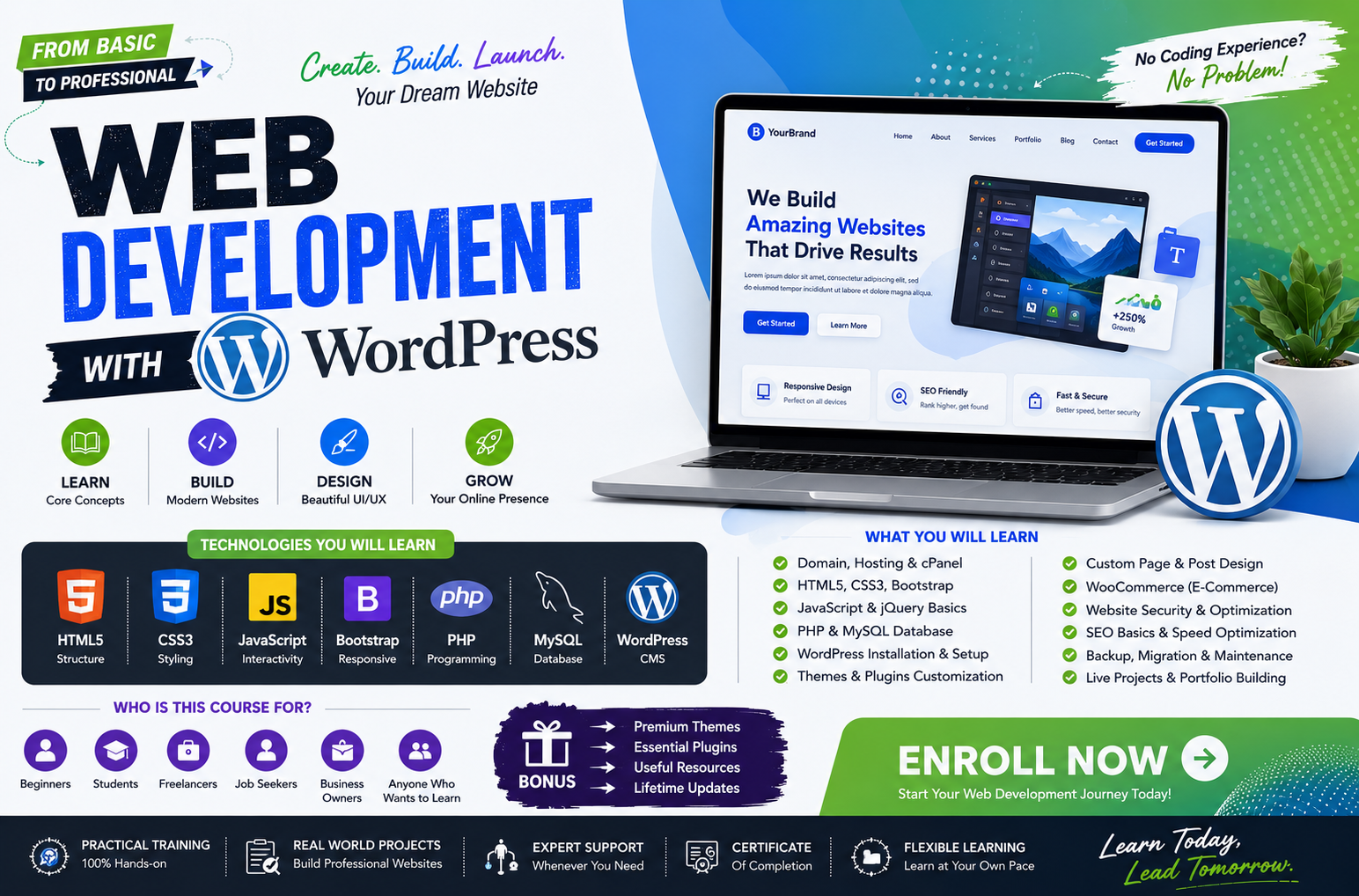
Master the world’s most popular Content Management System with our Professional WordPress Web Development course. Designed for absolute beginners and aspiring freelancers, this hands-on program takes you from website setup to launching fully functional, high-converting e-commerce stores without requiring any prior coding experience. You will master industry-standard tools like Elementor, learn to customize premium themes, and acquire essential skills in speed optimization, SEO, and website security. By the end of this project-based course, you will have a professional portfolio and the confidence to design, manage, and monetize dynamic websites for clients worldwide.
3 Month
DurationAdvanced
Level20+
Enrolled20+
ProjectsCourse Fee
Online
$10,000.00
Offline
$12,000.00
Course Curriculum
Module 1: Getting Started with WordPress
| Class | Topic | Type | Resources |
|---|---|---|---|
| 1 | What is WordPress? – CMS, Self‑Hosted vs. WordPress.com | Lecture | Slides and comparison chart |
| 2 | Installing WordPress Locally (XAMPP/WAMP) and on Live Server | Hands‑on | Installation guides |
| 3 | WordPress Dashboard Overview – Posts, Pages, Media, Settings | Workshop | Dashboard walkthrough |
| 4 | Understanding the WordPress File Structure – Core, Themes, Plugins, Uploads | Lecture | File structure diagram |
| 5 | WordPress Database Schema – Tables and Relationships | Lecture | Database ERD |
Projects: Install WordPress locally and create a simple blog with 3 sample posts and pages.
Module 2: Content Management & Customization
| Class | Topic | Type | Resources |
|---|---|---|---|
| 6 | Creating and Managing Posts, Pages, Categories, and Tags | Workshop | Content creation guide |
| 7 | Using the Block Editor (Gutenberg) – Blocks, Patterns, Reusable Blocks | Workshop | Block editor tutorials |
| 8 | Media Management – Image Optimization, Galleries, and Audio/Video | Workshop | Media settings |
| 9 | Customizing Menus, Widgets, and Site Identity (Logo, Favicon) | Workshop | Customization examples |
| 10 | User Roles and Permissions – Administrators, Editors, Authors, Subscribers | Lecture | Roles and capabilities |
Projects: Build a fully functional content hub with categories, a custom menu, and multiple user roles.
Module 3: WordPress Themes – Structure and Development
| Class | Topic | Type | Resources |
|---|---|---|---|
| 11 | Understanding the WordPress Theme Hierarchy | Lecture | Hierarchy diagram |
| 12 | Anatomy of a Theme – style.css, functions.php, template files | Workshop | Theme file examples |
| 13 | The Loop – Displaying Posts, Custom Queries, and Conditional Tags | Workshop | Loop code snippets |
| 14 | Creating Custom Page Templates and Template Parts | Workshop | Template examples |
| 15 | Enqueuing Styles and Scripts – Properly Adding CSS and JS | Workshop | Enqueue guide |
| 16 | Child Themes – Why and How to Create Them | Workshop | Child theme setup |
Projects: Build a custom WordPress theme from scratch with a homepage, blog, and single post templates.
Module 4: Advanced Theming – Custom Post Types & Taxonomies
| Class | Topic | Type | Resources |
|---|---|---|---|
| 17 | Custom Post Types – Registering and Displaying (CPT UI / Code) | Workshop | CPT code examples |
| 18 | Custom Taxonomies – Categories and Tags for Custom Content | Workshop | Taxonomy registration |
| 19 | Advanced Custom Fields (ACF) – Building Custom Meta Boxes | Workshop | ACF tutorials |
| 20 | Creating Custom Archive and Single Templates for CPTs | Workshop | Template hierarchy for CPTs |
| 21 | Using WP_Query for Complex Custom Loops | Workshop | WP_Query examples |
Projects: Build a portfolio section with custom post types (Projects) and custom taxonomies (Skills).
Module 5: Plugin Development Basics
| Class | Topic | Type | Resources |
|---|---|---|---|
| 22 | Introduction to Plugin Development – Architecture and Best Practices | Lecture | Plugin structure guide |
| 23 | Creating a Simple Plugin – Hooks, Actions, and Filters | Workshop | Hooks documentation |
| 24 | Shortcodes – Creating Reusable Dynamic Content | Workshop | Shortcode API |
| 25 | Widgets – Building Custom Widgets for Sidebars | Workshop | Widget API |
| 26 | Plugin Settings – Creating Admin Pages and Options | Workshop | Settings API |
| 27 | Security in Plugins – Nonces, Capabilities, Sanitization | Lecture | Security checklist |
Projects: Develop a custom plugin that adds a 'Featured Post' widget and a shortcode for displaying recent posts.
Module 6: WooCommerce – E-commerce with WordPress
| Class | Topic | Type | Resources |
|---|---|---|---|
| 28 | Installing and Configuring WooCommerce | Hands‑on | Setup wizard guide |
| 29 | Products – Simple, Variable, Grouped, and External | Workshop | Product types |
| 30 | Shopping Cart, Checkout, and Payment Gateways | Workshop | WooCommerce settings |
| 31 | Orders, Coupons, and Tax Settings | Workshop | Order management |
| 32 | Customizing WooCommerce Templates (Overrides via Child Theme) | Workshop | Template overrides |
Projects: Build a fully functional online store with at least 10 products, categories, and a test payment gateway.
Module 7: Performance, Security, and Maintenance
| Class | Topic | Type | Resources |
|---|---|---|---|
| 33 | Performance Optimization – Caching (WP Rocket, W3TC), CDN, Image Compression | Workshop | Performance checklists |
| 34 | Security Hardening – Login Protection, Firewalls, Malware Scanning | Lecture | Security plugins and practices |
| 35 | Backup and Restore Strategies – Manual and Automated | Workshop | Backup solutions |
| 36 | WordPress Updates – Core, Themes, Plugins, and Best Practices | Lecture | Update workflow |
| 37 | Managing Multisite Networks (if applicable) | Lecture | Multisite overview |
Projects: Harden and optimize your live WordPress site (implement caching, security, and backup).
Module 8: SEO and Marketing with WordPress
| Class | Topic | Type | Resources |
|---|---|---|---|
| 38 | SEO Plugins – Yoast SEO, Rank Math – Configuration and Best Practices | Workshop | SEO plugin guides |
| 39 | XML Sitemaps, Robots.txt, and Structured Data (Schema) | Workshop | SEO technical setup |
| 40 | Google Analytics and Search Console Integration | Workshop | Tracking setup |
| 41 | Email Marketing Integration – Newsletter Plugins (Mailchimp, etc.) | Workshop | Email plugins |
| 42 | Social Media Integration – Sharing Buttons, Open Graph Tags | Workshop | Social plugins |
Projects: Fully optimize your website for SEO (titles, meta, sitemaps, schema) and set up Google Analytics.
Module 9: WordPress as an API – Headless CMS
| Class | Topic | Type | Resources |
|---|---|---|---|
| 43 | Introduction to the REST API – Endpoints, Authentication | Lecture | REST API docs |
| 44 | Custom Endpoints and Custom Fields in the API | Workshop | Custom endpoint examples |
| 45 | Consuming the REST API with JavaScript (Fetch, React) | Workshop | API integration guide |
| 46 | Headless WordPress – Combining with a Frontend Framework (Next.js, etc.) | Lecture | Headless architecture |
Projects: Build a simple single‑page application that pulls posts from WordPress REST API.
Module 10: Freelancing, Career & Portfolio
| Class | Topic | Type | Resources |
|---|---|---|---|
| 47 | Building a Professional Portfolio with WordPress | Workshop | Portfolio templates |
| 48 | Client Workflow – Scoping, Pricing, Contracts, and Delivery | Lecture | Client management guides |
| 49 | Freelance Platforms – Upwork, Fiverr, and Local Marketplaces | Workshop | Profile optimization |
| 50 | Maintenance Packages – Offering Ongoing Support and Retainers | Lecture | Maintenance checklists |
| 51 | Final Project Showcase and Review | Review | Feedback session |
Projects: Build a professional portfolio site showcasing all your WordPress projects and launch your freelance profiles.