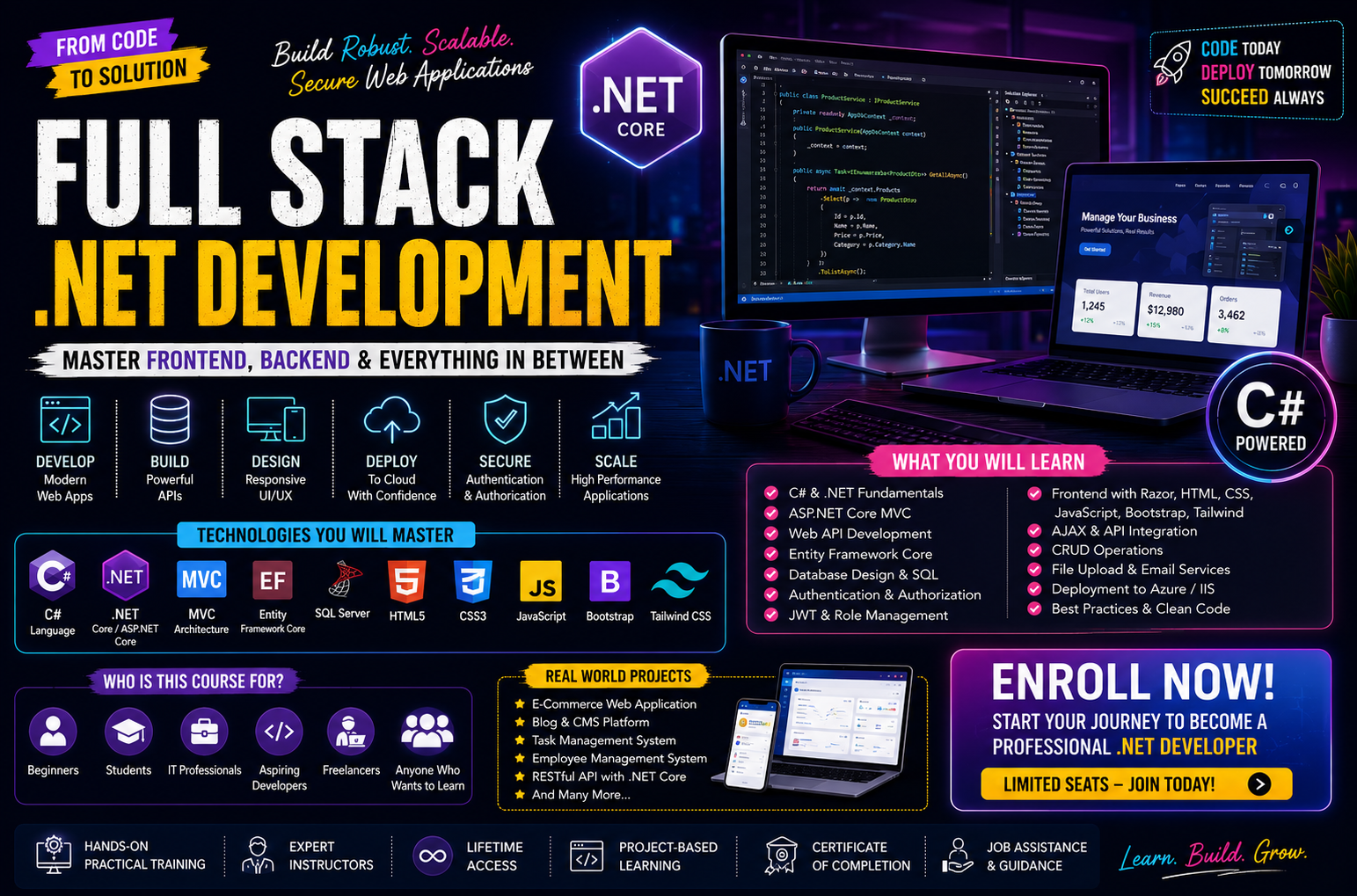
Full-stack Web development with .net
Master the industry-standard ecosystem for enterprise software with our Full-Stack Web Development course in .NET. Designed for developers ready to build high-performance, secure applications, this intensive program takes you from backend logic with C# and ASP.NET Core to robust database management with Entity Framework Core. You will learn to design clean Web APIs, implement secure identity management, and architect scalable systems trusted by global enterprises. By the end of this project-based course, you will have the practical software engineering skills and portfolio required to step confidently into corporate backend and full-stack development roles.
6 Month
DurationAdvanced
Level5+
Enrolled15+
ProjectsCourse Fee
Online
$20,000.00
Offline
$25,000.00
Course Curriculum
Module 1: C# Fundamentals for .NET Development
| Class | Topic | Type | Resources |
|---|---|---|---|
| 1 | Introduction to C# – History, .NET Framework vs .NET Core, CLR | Lecture | Slides & architecture diagrams |
| 2 | Setting Up the Development Environment – Visual Studio, VS Code, .NET SDK | Hands‑on | Installation guides |
| 3 | C# Syntax – Variables, Data Types, Operators, Type Conversion | Workshop | C# basics exercises |
| 4 | Control Flow – if/else, switch, loops (for, while, foreach) | Workshop | Control flow examples |
| 5 | Working with Arrays, Lists, and Collections (List<T>, Dictionary, IEnumerable) | Workshop | Collection types |
| 6 | Methods – Parameters, Return Types, Overloading, Ref/Out | Workshop | Method examples |
| 7 | Object‑Oriented Programming – Classes, Objects, Properties, Constructors | Workshop | OOP basics |
| 8 | Inheritance, Polymorphism, Abstract Classes, Interfaces | Lecture | OOP deep dive |
| 9 | Exception Handling – try/catch/finally, Custom Exceptions | Workshop | Error handling |
| 10 | Delegates, Events, and Lambda Expressions | Lecture | Functional programming in C# |
| 11 | LINQ – Query Syntax, Method Syntax, Filtering, Projection, Grouping | Workshop | LINQ examples |
Projects: Build a console application for a library management system (books, members, borrowing) using OOP and LINQ.
Module 2: SQL & Database Fundamentals
| Class | Topic | Type | Resources |
|---|---|---|---|
| 12 | Introduction to Relational Databases – Tables, Keys, Relationships | Lecture | Database design slides |
| 13 | Setting Up SQL Server / SQLite / PostgreSQL | Hands‑on | Database setup guides |
| 14 | SQL Basics – CREATE, INSERT, SELECT, UPDATE, DELETE | Workshop | SQL cheat sheet |
| 15 | Filtering and Sorting – WHERE, ORDER BY, GROUP BY, HAVING | Workshop | Query examples |
| 16 | Joins – INNER, LEFT, RIGHT, FULL, Self‑Joins | Workshop | Join diagrams |
| 17 | Subqueries, CTEs, and Window Functions | Workshop | Advanced SQL |
| 18 | Indexes, Views, and Stored Procedures | Lecture | Performance and automation |
| 19 | Database Normalization – 1NF, 2NF, 3NF | Lecture | Normalization guide |
Projects: Design and implement a normalized database schema for an e‑commerce store (products, orders, customers).
Module 3: Entity Framework Core – ORM
| Class | Topic | Type | Resources |
|---|---|---|---|
| 20 | Introduction to Entity Framework Core – Code‑First vs Database‑First | Lecture | EF Core overview |
| 21 | Creating DbContext and Entity Models | Workshop | Model examples |
| 22 | Migrations – Adding, Updating, Rolling Back | Workshop | Migration commands |
| 23 | CRUD Operations with EF Core – Add, Update, Delete, Query | Workshop | CRUD examples |
| 24 | Relationships – One‑to‑One, One‑to‑Many, Many‑to‑Many | Workshop | Relationship mapping |
| 25 | Lazy Loading, Eager Loading, Explicit Loading | Workshop | Loading strategies |
| 26 | LINQ to Entities – Writing Efficient Queries | Workshop | Query optimization |
| 27 | Tracking vs. No‑Tracking Queries, Compiled Queries | Lecture | Performance tips |
Projects: Create a data access layer for the e‑commerce database using EF Core with full CRUD operations.
Module 4: ASP.NET Core MVC – Building Web Applications
| Class | Topic | Type | Resources |
|---|---|---|---|
| 28 | Introduction to ASP.NET Core – Web Applications vs. Web APIs | Lecture | ASP.NET Core overview |
| 29 | Project Structure – Program.cs, Startup.cs, Middleware, Dependency Injection | Workshop | Project anatomy |
| 30 | Creating Controllers – Action Methods, Routing, Attribute Routing | Workshop | Controller examples |
| 31 | Views – Razor Syntax, Layouts, Partial Views, View Components | Workshop | Razor guide |
| 32 | Model Binding and Validation – Data Annotations, Custom Validators | Workshop | Validation examples |
| 33 | Tag Helpers – Built‑in and Custom | Workshop | Tag Helpers docs |
| 34 | Working with Forms – POST, CSRF, Anti‑Forgery Tokens | Workshop | Form handling |
| 35 | Session, TempData, and ViewBag/ViewData | Workshop | State management |
| 36 | Middleware and Filters – Action Filters, Exception Filters, Authorization Filters | Workshop | Filter pipeline |
Projects: Build a full MVC web application for product management (list, add, edit, delete) using EF Core.
Module 5: Authentication & Authorization in ASP.NET Core
| Class | Topic | Type | Resources |
|---|---|---|---|
| 37 | Authentication vs. Authorization – Overview | Lecture | Security concepts |
| 38 | ASP.NET Core Identity – User Registration, Login, Logout | Workshop | Identity setup |
| 39 | Customizing Identity – Extended User Properties, Role Management | Workshop | Custom Identity |
| 40 | Claims and Policy‑Based Authorization | Workshop | Policy examples |
| 41 | External Authentication – Google, Facebook, GitHub with OAuth | Workshop | OAuth setup |
| 42 | JWT Authentication for APIs | Workshop | JWT implementation |
Projects: Implement user authentication and role‑based authorization (Admin, User) for the product management system.
Module 6: Building RESTful APIs with ASP.NET Core Web API
| Class | Topic | Type | Resources |
|---|---|---|---|
| 43 | Designing RESTful APIs – HTTP Methods, Status Codes, Endpoints | Lecture | API design best practices |
| 44 | Creating Web API Controllers – Attribute Routing, ActionResult | Workshop | API controller examples |
| 45 | Serialization – JSON with System.Text.Json (or Newtonsoft) | Workshop | Serialization settings |
| 46 | API Versioning and Documentation (Swagger/OpenAPI) | Workshop | Swagger setup |
| 47 | Model Validation in APIs, Error Handling | Workshop | Validation & error responses |
| 48 | Filtering, Sorting, and Pagination in APIs | Workshop | OData or custom |
| 49 | CORS and Security Headers | Workshop | CORS configuration |
Projects: Create a RESTful API for the e‑commerce system with endpoints for products, categories, and orders, with Swagger documentation.
Module 7: Front‑End Integration – React (or Angular)
| Class | Topic | Type | Resources |
|---|---|---|---|
| 50 | Introduction to React – Components, Props, State, Hooks | Lecture | React basics |
| 51 | Setting Up React with ASP.NET Core (SPA template or separate) | Hands‑on | Integration guide |
| 52 | Making API Calls from React – Axios, Fetch, Handling Responses | Workshop | HTTP clients |
| 53 | State Management – Context API, Redux (optional) | Workshop | State management |
| 54 | Routing in React – React Router for Navigation | Workshop | Router setup |
| 55 | Form Handling in React – Controlled Components, Validation | Workshop | Form libraries |
| 56 | Authentication in React – JWT Storage, Protected Routes | Workshop | Auth integration |
| 57 | Styling – CSS Modules, Styled Components, Tailwind | Workshop | Styling options |
Projects: Build a React front‑end that consumes the product API – display a product list, create/edit forms, and integrate authentication.
Module 8: Advanced .NET Topics
| Class | Topic | Type | Resources |
|---|---|---|---|
| 58 | Dependency Injection – Built‑in Container, Service Lifetimes, Scoping | Workshop | DI deep dive |
| 59 | Configuration – appsettings.json, Environment Variables, IOptions | Workshop | Configuration patterns |
| 60 | Logging – ILogger, Serilog, Structured Logging | Workshop | Logging frameworks |
| 61 | Background Tasks – IHostedService, BackgroundService, Quartz.NET | Workshop | Scheduled jobs |
| 62 | Caching – In‑Memory, Distributed (Redis) | Workshop | Caching strategies |
| 63 | SignalR – Real‑Time Communication (Chat, Notifications) | Workshop | SignalR guide |
| 64 | Globalization and Localization | Lecture | Multi‑language support |
| 65 | Health Checks and Monitoring | Workshop | Health check API |
Projects: Add background job (email sending) and real‑time notifications (SignalR) to the e‑commerce system.
Module 9: Testing & Quality Assurance
| Class | Topic | Type | Resources |
|---|---|---|---|
| 66 | Unit Testing – xUnit / NUnit, Test Fixtures, Mocks (Moq) | Workshop | Testing setup |
| 67 | Integration Testing – Testing Controllers, EF Core, APIs | Workshop | Integration test examples |
| 68 | Testing with In‑Memory Database vs. TestContainer | Workshop | Test databases |
| 69 | End‑to‑End Testing (Cypress, Selenium) – Overview | Lecture | E2E tools |
| 70 | Performance and Load Testing (JMeter, k6) | Lecture | Performance testing |
Projects: Write a suite of unit and integration tests for the API endpoints and the repository layer.
Module 10: Deployment, DevOps & Cloud
| Class | Topic | Type | Resources |
|---|---|---|---|
| 71 | Deployment Options – IIS, Azure App Service, AWS, Docker, Kubernetes | Lecture | Deployment overview |
| 72 | Publishing to Azure App Service – Manual vs. CI/CD (GitHub Actions, Azure DevOps) | Workshop | Azure deployment guide |
| 73 | Containerization with Docker – Dockerfile, docker‑compose | Workshop | Docker setup |
| 74 | Using Azure SQL Database / AWS RDS for Production | Workshop | Cloud DB setup |
| 75 | CI/CD Pipelines – GitHub Actions, Azure Pipelines | Workshop | Pipeline YAML |
| 76 | Monitoring, Logging, and Application Insights | Workshop | Monitoring tools |
Projects: Containerize your application with Docker and deploy it to Azure App Service (or a cloud provider) with a CI/CD pipeline.
Module 11: Freelancing & Career Preparation
| Class | Topic | Type | Resources |
|---|---|---|---|
| 77 | Building a Professional Portfolio – Showcasing Your .NET Projects | Workshop | Portfolio templates |
| 78 | Writing a Developer Resume & LinkedIn Profile for .NET Roles | Workshop | Resume tips |
| 79 | Freelance Platforms – Upwork, Fiverr, Toptal – Profile Optimization | Lecture | Platform guides |
| 80 | Client Communication – Scoping, Proposals, Pricing, Contracts | Workshop | Proposal templates |
| 81 | Building a Personal Brand – Tech Blogging, Contributing to OSS | Lecture | Branding tips |
| 82 | Final Project Presentation & Code Review | Review | Feedback session |
Projects: Create a portfolio website (e.g., using React or Blazor) showcasing your .NET projects, and prepare a polished resume and freelance profile.